Step 1
Choose a knowledge base
A folder of your product sheets, price lists, competitor notes and objection handling, in TXT, Markdown, PDF or DOCX. Keep one per product, market or language. Edit a file and the next call uses it.
pitchside listens to both sides of your sales call, transcribes it on your computer, and when the customer asks a question or pushes back, it tells you what to say, using only your own material. No meeting bot. No invented discounts.
Works with Zoom, Teams, Google Meet and any softphone · English, Português and Español
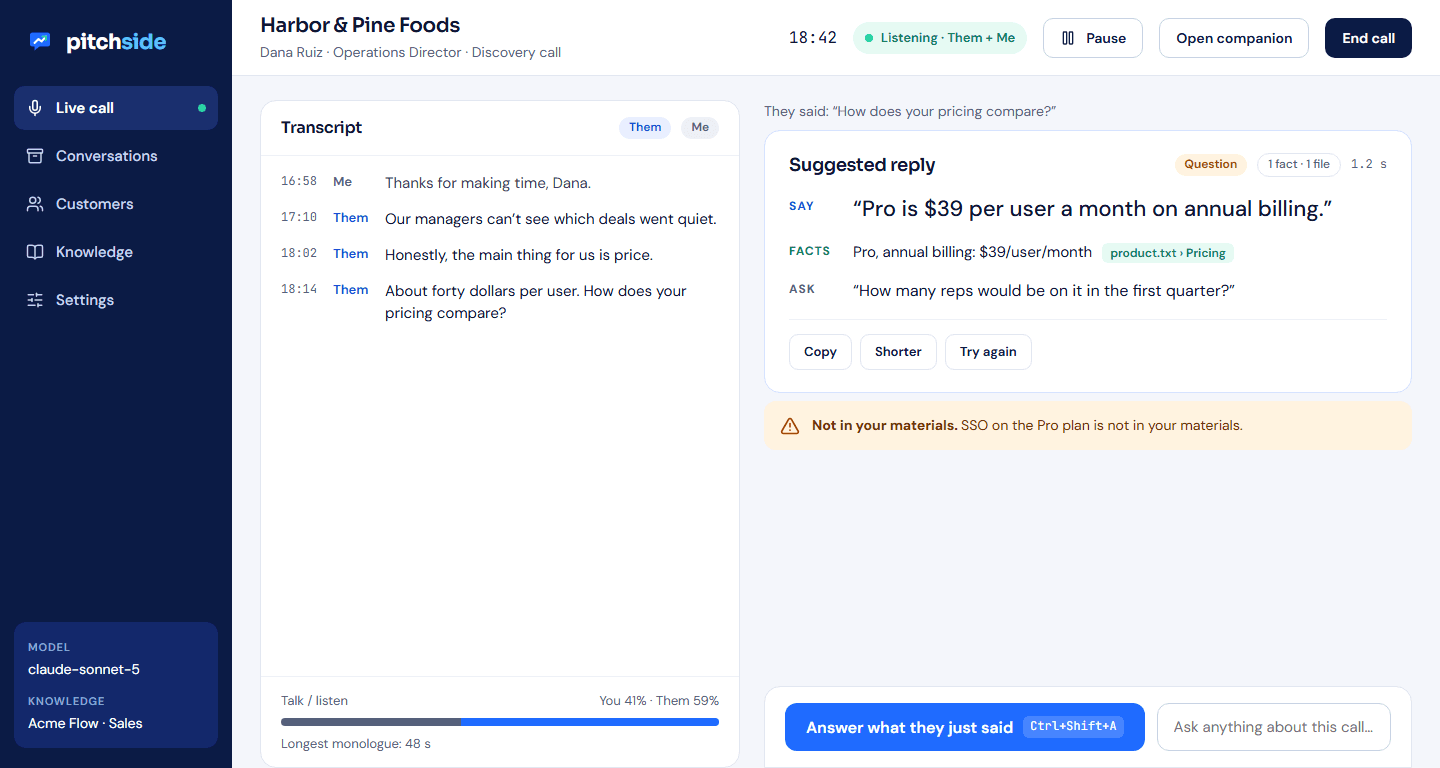
pitchside is a normal desktop app. It captures the audio that plays through your speakers or headset, so it works with every meeting app and phone, and it never joins a call as a bot.
A folder of your product sheets, price lists, competitor notes and objection handling, in TXT, Markdown, PDF or DOCX. Keep one per product, market or language. Edit a file and the next call uses it.
The live transcript labels Them (the customer) and Me (you). Speech is turned into text on your device. A consent reminder shows you the line to say before you begin.
One click or hotkey turns the customer’s last question or objection into a reply you can say out loud, the facts behind it with their source file, and a question that moves the deal forward.
Generic AI assistants will happily invent a 30% discount or a feature you don't have, and you'll spend next week walking it back. pitchside's coaching is restricted to your knowledge base and what was said on the call. Every fact shows the file and section it came from, and anything missing gets an amber “Not in your materials” callout instead of a guess.
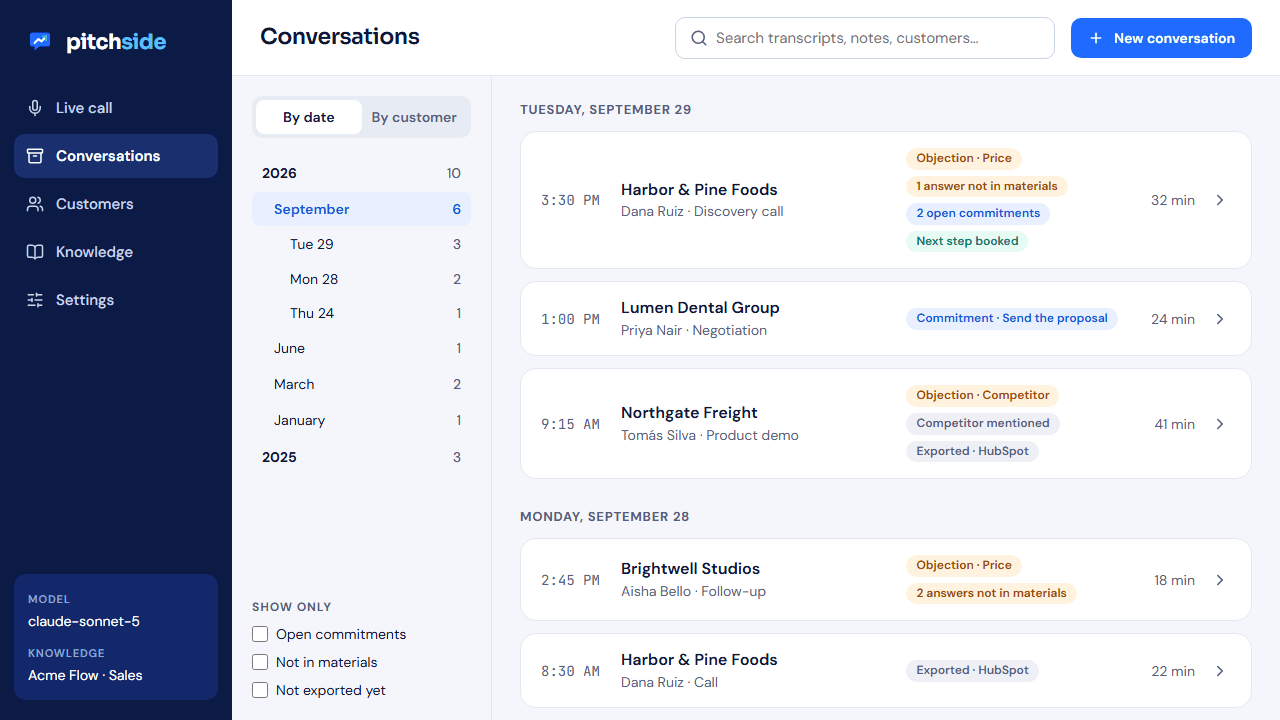
Browse by customer, day, month or year. Full-text search across transcripts and notes. Filter for open commitments, answers that weren't in your materials, or calls not yet exported.
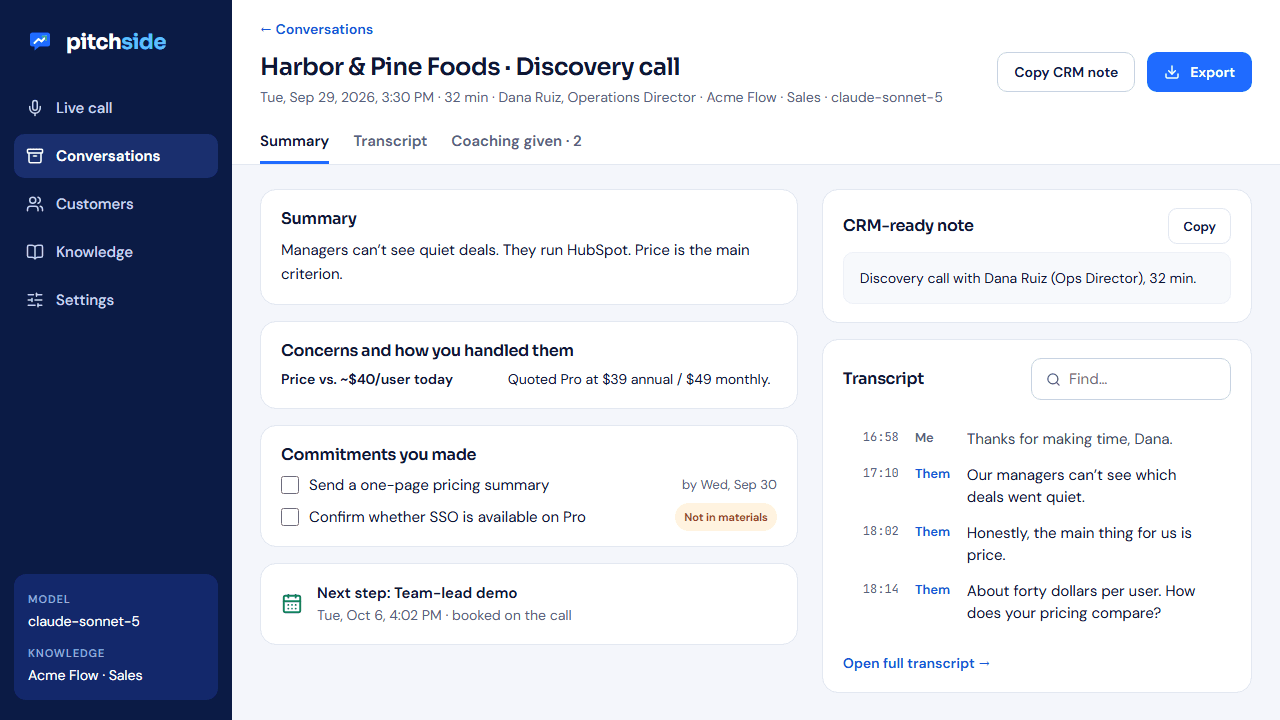
The customer's concerns and how you handled them, the commitments you made, next steps, a CRM-ready note and a follow-up email draft, written in the language of the call.
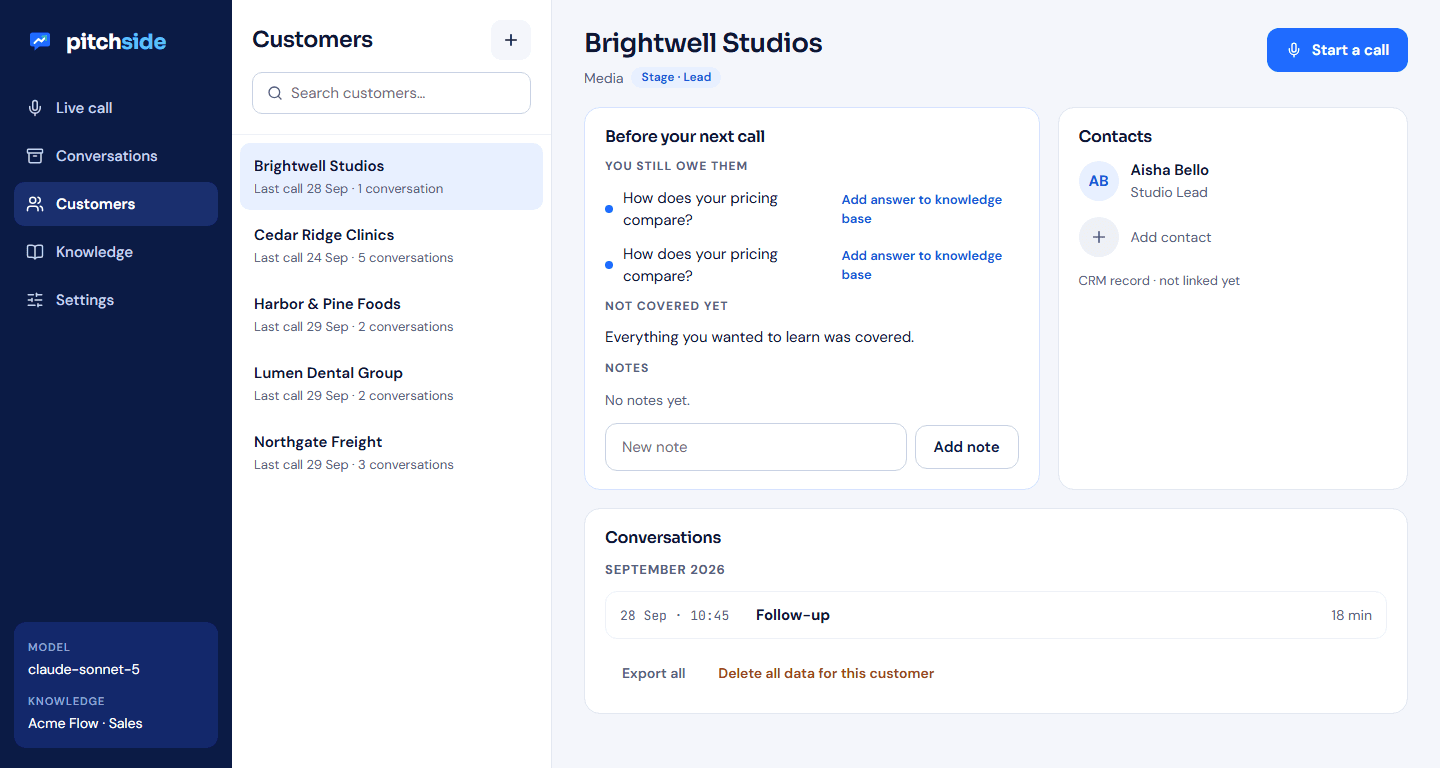
Link each conversation to a customer and its contacts. See the history by month before you dial, and delete everything for a customer in one step when you need to.
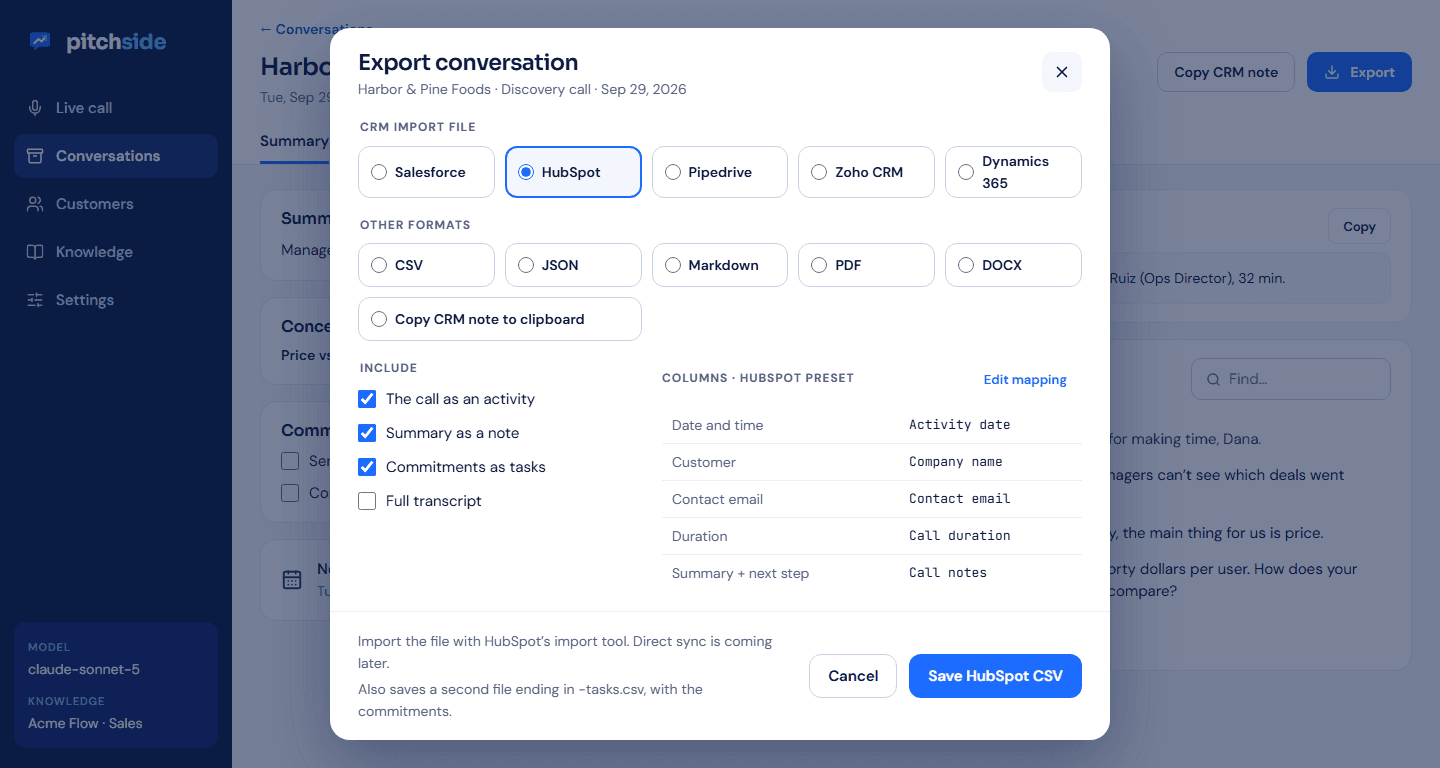
CSV files shaped for the import tools of Salesforce, HubSpot, Pipedrive, Zoho and Dynamics 365, with an editable field mapping. Plus JSON, Markdown, PDF, DOCX, and a summary you can paste straight into a CRM note.
A small window to keep next to Zoom or Teams: what they just said, the suggested reply, and the hotkey. The full app stays one click away.
Claude, OpenAI, Gemini or Grok with your own API key, or a local model through Ollama so nothing leaves your computer. Choose per knowledge base or per conversation.
Interface and coaching in English, Brazilian Portuguese and Spanish. Pick the call's language at the start; everything you read, from the reply to the follow-up email, stays in it.
Brazilian sellers use Portuguese materials and get live coaching in Portuguese. Facts from a file in another language are translated faithfully, with numbers, prices and names kept exact, and the source pill still names the original file.
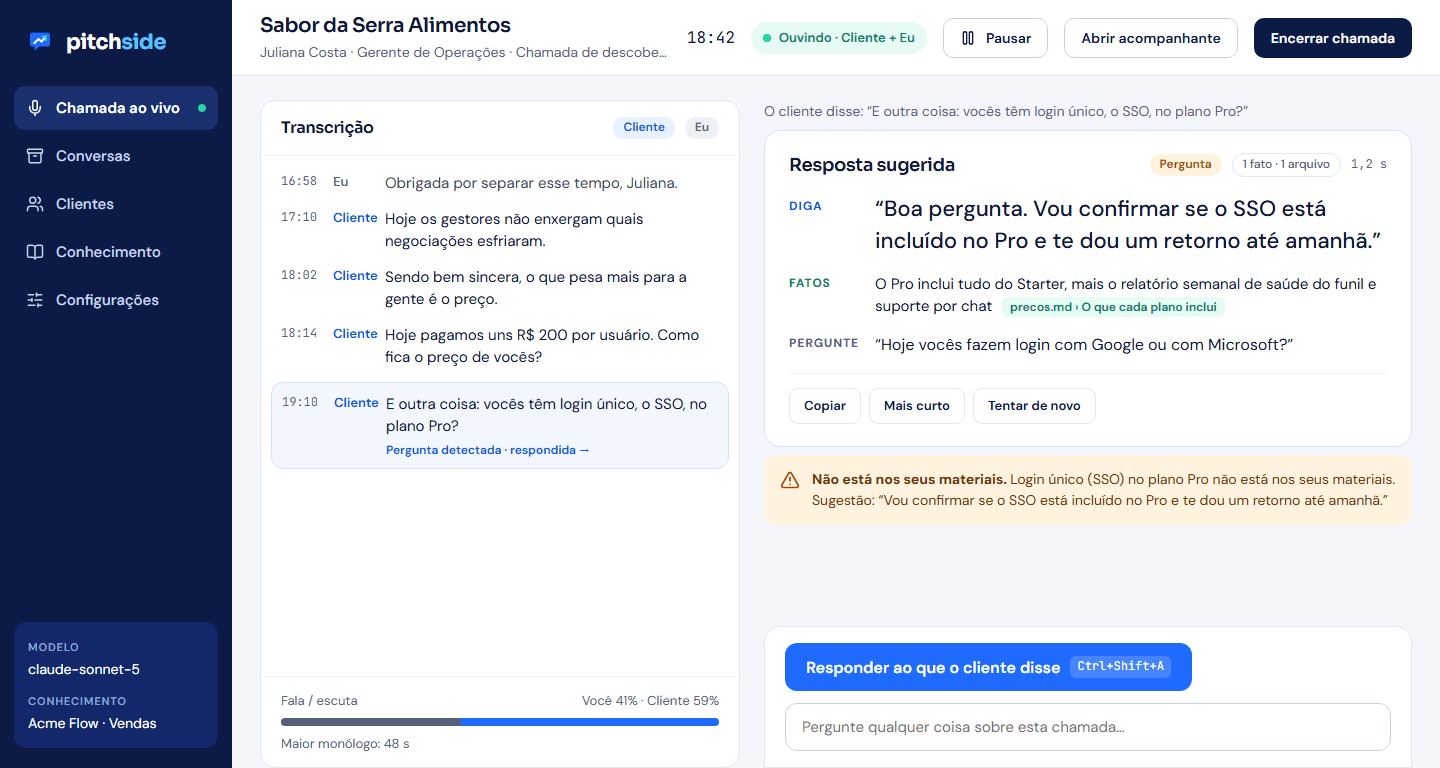
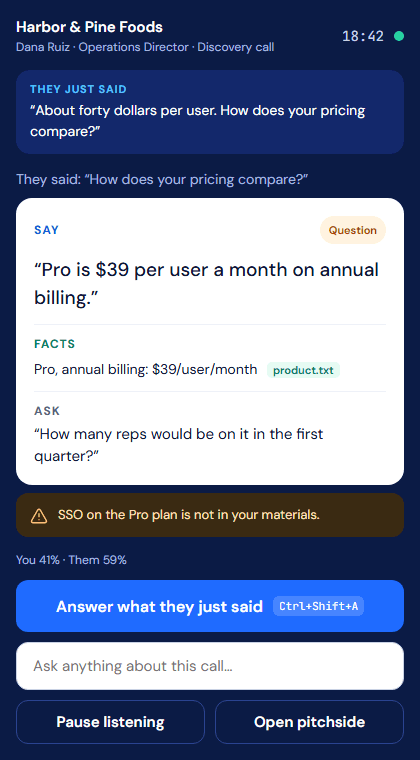
The call companion: keep it beside your meeting app and never leave the conversation.
Most call tools send your audio to the cloud, join your meetings as a bot, and some even train on the recordings. pitchside was built the other way around.
Speech is turned into text by a model running on your CPU. Audio is never uploaded and never stored unless you turn that on.
Text goes to the AI provider you picked only when you ask for help or a summary. With a local model, nothing leaves your machine at all.
Set how long conversations are kept and delete everything for a customer in one step, for GDPR and LGPD erasure requests.
Every call starts with a reminder and a suggested announcement. pitchside is a normal window, never marketed as hidden, and does no voice emotion detection.
Recording and transcription laws differ by country and state. pitchside helps you inform participants, but complying is your responsibility. pitchside does not train on your data.
Prices in US dollars, per user. Pay monthly or save about 20% on annual billing. Available in the USA and Brazil at launch.
Try it on real calls.
For the seller who takes calls every day.
For sales teams of 3 or more.
For larger organizations and regulated industries.
About AI costs. pitchside doesn't resell AI. You connect your own API key for Claude, OpenAI, Gemini or Grok and pay that provider directly (a typical coached call costs a few cents), or you run a local model through Ollama at no cost. Speech-to-text always runs on your computer and is included in every plan.
Yes. pitchside captures the audio that plays through your computer's speakers or headset and your microphone, so it works with Zoom, Microsoft Teams, Google Meet, Webex, a softphone, or anything else that plays through your computer. It never joins the meeting as a participant.
They won't see it, but you should tell them. Recording and transcription laws differ by country and state. pitchside shows a consent reminder and a suggested announcement at the start of every call, and we don't market it as hidden.
Claude (Anthropic), OpenAI, Gemini (Google) and Grok (xAI) with your own API key, or a local model through Ollama. We run a grounding test on every model we recommend; small local models can invent discounts, so test before relying on one.
Windows 10 (2004+) or Windows 11 on x64, or macOS 14.2 or later on Apple Silicon. About 1 GB of disk for the on-device speech model, downloaded on first run.
The interface and the coaching are available in English, Brazilian Portuguese and Spanish. The speech model understands English and 24 other European languages, so your transcript works even when the customer speaks another one.
Today it exports CSV files shaped for the import tools of Salesforce, HubSpot, Pipedrive, Zoho and Dynamics 365, plus a one-click CRM note for your clipboard. Direct two-way sync, starting with HubSpot and Salesforce, is on the roadmap and will come to Team plans first.
pitchside is in private beta for Windows and macOS. Leave your email and we'll send you a download link and a short onboarding guide.
